HPC/Applications/atk/License configuration on Windows
(Redirected from HPC/Modules/atk/License configuration on Windows)
- Locate and start
atk_license_setup.exe, typically located inC:\"Program Files (x86)"\QuantumWise\atk-12.2.2\license\atk_license_config.exe - Push Next.
- You will see the current license configuration. Push OK.
- Choose the Floating option and push Next.
- As License server address, enter this exact string (with semicolons ";" and "@" characters, no spaces):
- localhost;6201@localhost
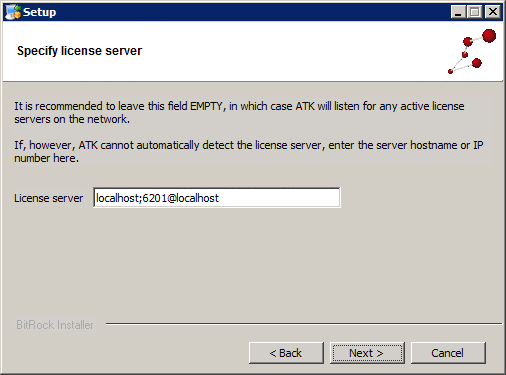
- Note: The license server string will be assigned to the environment variable
QUANTUM_LICENSE_PATH. As of ATK-12.2.2, the characters6200@will be automatically prepended to the variable. Do not enter a numeric value before the first host name in the License server field above.
- Push Next.
- Push Next again.
- Push Finish.


